Notice board
The Notice Board allows pirates to access a wealth of important information. The board lists news, puzzles, current and recent duels, missions, crews hiring jobbers for various voyages, events, shoppe jobs, and details about pending, current and recent blockades. Active blockades can be watched by viewing the Notice Board from the blockaded island, and many places can be whisked to from the various tabs of the Notice Board. Each tab is discussed in more detail in the sections below.
The Notice Board can be accessed by finding it on an island, the island minimap, or the "Ye" tab. Although both function in the same way, there are two appearance types for Notice Boards on islands:
-
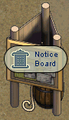 Wooden Notice Board
 -
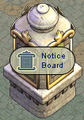 Stone Notice Board


When an island is colonized, Notice Boards do not show up automatically. They can only be placed by submitting a petition requesting that one be placed.
News tab

From the "News" tab, a pirate can view a list of recent in-game articles of importance, new releases, and is also shown one of the free puzzles of the day.
The "News" tab of the Notice Board also contains three clickable buttons at the top:
- Houses: becomes a drop down menu when clicked, listing the buildings a pirate can whisk to. These include houses, stalls, shoppes and other buildings in which the pirate is a roommate, manager or owner. The building type is shown with icons.
- Buildings in the list appear under subheadings, with icons indicating the type of building, and which destinations will require a whisking potion and which will not. Buildings under the "Drink Whisking potion (x swigs left)" heading have the whisk symbol beside them and will consume a whisking potion when clicked. Players will receive the following message upon a successful whisk: "Ye drink a swig of whisking potion and are whisked away to <Pirate Name's> <Building or House Type> on <Island Name>! Ye have <x> swigs of whisking potion left." If you try to whisk from the Notice Board when you don't have a whisking potion but need one, it will say: "Ye have no whisking potion to drink! Ye can buy one from an apothecary." Whisks that do not consume a whisking potion will give the message: "Gettin' me move on...".
- Inn: whisks you to the inn, and gives the message: "Gettin' me move on..." (You will be sent to the inn on the island you are standing on. If there is no inn on the island, you will be whisked to an inn within that archipelago. If there is no such inn, you will be whisked to one further away).
- Voyages: takes you to the "Voyages" tab of the Notice Board. (See below).
Puzzles tab
The "Puzzles" tab shows the pirate a list of symbols representing each puzzle. Puzzles unavailable to the pirate - if, for example, they don't have the appropriate badge - are greyed out. Clicking on a puzzle displays a short blurb or helpful tip about the puzzle, and a "Play Now" button which automatically whisks the pirate to a location where they can perform that puzzle (or, if the puzzle is unavailable, a button allowing the pirate to purchase the required badge or subscribe).
Duels tab
The "Duels" tab allows pirates to watch any active swordfighting duel on the ocean, or see the results of recent duels.
Missions tab
The "Missions" tab of the Notice Board gives a list of missions that can be completed. The missions listed vary from pirate to pirate, depending on that pirate's experience and puzzle standing. Missions may include introductions, labor puzzles and navy missions. Some pirates with swordfighting stats at a certain level (narrow experience and master standing respectively) may see a "Defeat the Skellies!" or "Defeat the Vampirates!" mission. Similarly, pirates with these stats in Rumble may see a "Defeat the Zombies!" mission or a "Defeat the Werewolves!" mission.
Most missions will whisk the pirate to a building or ship, usually within the current archipelago. The "Defeat the Skellies/Werewolves/Zombies/Vampirates!" missions will whisk pirates to an island where those monsters can currently be found.
Voyages tab

With the introduction of Purser Pete with release 2026-10-08, pirates will need to complete a "Side by side" challenge before they can view the "Voyages" tab for the first time. This is a one-time-only requirement, and allows pirates to try the new challenge type so that they won't be caught off guard when it appears at sea. Once the challenge has been completed, the "Voyages" tab will be displayed.
The "Voyages" tab of the Notice Board displays a list of ships (if any) that are hiring jobbers for various voyages. Getting hired for a voyage whisks a player aboard the ship.
All listed voyages show the ship, crew, and officer name (with clickable links to /vwho, crew info, and pirate info pages respectively), and a button to apply. Pirates may also "auto-apply" to voyage types of their choosing using the tick boxes in the interface at the top of the "Voyages" tab.
If the ship has had a mission statement specified, a chat bubble appears next to the officer's avatar - mouse-over it to see the mission statement. Ship size is shown by an icon next to the ship name.
In addition to pillaging, this tab on the Notice Board is also used to post jobbing notices for general jobbing within a crew, blockades, flotillas, trading, foraging, greeter pillages, evading enemies, and sea monster hunting (Atlantis, Cursed Isles, or Haunted Seas). Each type of voyage may have other columns specific to its purpose, and many may be moused-over for more information.
The "Voyages" tab is not visible when the Notice Board is being viewed from on board a ship.
Events tab
The "Events" tab of the notice board shows the current news from the governor, and a link to the official current events page on Yppedia. It also includes a list of any parties currently being held at shoppes, stalls or houses on the island, and a list of gallery exhibition showings being held anywhere on the ocean. Pirates may whisk to the locations of these events by clicking on the "Go" button next to the relevant listing. Gallery showings can be used to travel between archipelagos for free - without needing to use a whisking potion.
Additionally, an Ocean Master can create a whisk to any scene as part of an event (such as ship previews, special portrait ships, and seasonal or special events). These will be listed on the "Events" tab too.
Shoppe Jobs tab
The "Shoppe Jobs" tab holds a list of some shoppes and stalls on the island that are in need of labor, and their respective pays. Clicking on the "View" button next to a shoppe type will bring up a full list of all shoppe jobs of that type on the island, sortable by highest basic, skilled or expert labor pay rates. Clicking the "Go" button which appears next to each job listing will whisk a pirate to the shoppe or stall in question.
The "Shoppe Jobs" tab is not visible when viewed from on board a ship. On the Cerulean Ocean, this tab is only visible to subscribers.
Blockades tab

The "Blockades" tab of the Notice Board shows if an island is eligible to be blockaded, the level of fame a flag would need in order to blockade the island, the expected mercenary pay rate and minimum and maximum sealed bid, and the time window in which blockade bids can be placed.
The "Blockades" tab also shows any current and upcoming blockades, along with the current score (if the blockade is live). Active blockades can be watched by viewing this tab from the blockaded island and clicking on the "Watch" button. The round number and number of ships in the fray are displayed alongside the "Watch" button when viewing from a blockaded island.
When watching a blockade from the Notice Board:
- "Return to game" returns you to the island, and boarding a ship, entering a building or the round ending also ends the watch.
- Ticking the "Board only" checkbox hides the sidebar and chat band so the blockade has the whole window. (Unticking it will show them again).
- The header shows each team in its own color (defenders are green, attackers are red) with its flag and score. (Teams that are present but not contesting are assigned another color). The header also shows the turn and the seconds to the next one, the time left in a break, and a warning before the blockade restarts. When the round is played out the header says so, and then ye are put back ashore.
- Watchers can use /shore chat to communicate with each other. Shore chat is only visible to other watchers; it cannot be seen by pirates on ships inside the blockade. However, watchers still also hear the /battle chat.
- Spectator Shout Outs are available to watchers via the Ahoy! panel. Shout Outs are small animated tags that watchers can place anywhere on the blockade board. Click one, then click the board to place it. A second mark of yours on the same square replaces the first. Ticking the "Don't show shout outs" tickbox turns them off for you. Available Shout Outs include: Bravo!, Bingo, Yarr, Rumjuggled, Booched and Megabooched.
- Options > Graphics > Blockade view sets the size a blockade opens at when you watch it: Standard, Large (2x) or Huge (3x). Blockades remember their own zoom, separate from sea battles.
 War tab

On the Obsidian Ocean, the war tab keeps an overview of statistics on the perpetual struggle between the two factions, Shadow Fleet and Defiant Armada.
Competition! tab
The "Competition!" tab is only viewable during certain Team competitions. It shows which team the inquiring pirate is on, whether or not that pirate has participated, and team rankings. (See: Zombie Apocalypse and Fight Club for examples of past competitions).
Historical notes
- With release 2004-01-05, governors can post news that will appear on the Notice Board.
- Release 2004-05-26 added a "Job" tab and a "Blockade Status" tab to the Notice Board. With release 2004-07-09, shoppe jobs on the Notice Board would now appear in a random order.
- With release 2004-08-02, vessel jobs are now posted ocean-wide and appropriate ones were displayed on each Notice Board - meaning that there would be plenty of jobs listed on islands in newly-colonized archipelagos. Final blockade scores were left on the notice board for 3 days. Ocean Masters may now post events directly to the notice board and let anyone instantly whisk out to the event location.
- Missions were added the game (and to the Notice Board) with release 2005-02-11.
- With release 2005-05-25, jobs posted on the notice board will list the crew's booty share option. At this time, the more jobber-friendly your crew's booty shares were, the better the chances of your job appearing on any particular noticeboard in the ocean.
- The "Voyages" tab was originally named "Pillaging" until release 2006-10-17.
- Release 2007-09-04 split blockade listings on the notice board into three groups: active, pending, and completed.
- The Notice Board was revamped with release 2007-12-12 with a new "Pirate News" tab. Events & Island Events were consolidated into a single "Events" tab.
- Release 2008-06-18 added a new "Puzzles" tab on the Notice Board.
- With release 2008-08-27, the foraging puzzle was released. Fleet officers and above (and deed holders) can create foraging offers to pay their crew for the commodities they forage, and these can be posted to the Notice Board.
- In release 2009-12-18 the "Voyages" tab was overhauled to show tables with sortable columns for each of the various voyage types, instead of a giant description text. Jobbers may sign up to auto-apply for voyages of specific types (e.g. sea monster, pillage) and their application will be sent if any vessel starts hiring for that type of voyage.
- With release 2010-10-14, if a pirate has multiple houses of the same name, they will include island names on the notice board "News" tab's "Houses" button.
- Release 2015-07-30 added a new type of House: the Gallery. Instead of parties, pirates can host an "exhibit" in their gallery. Exhibits last a week and are shown in the "Events" tab of the Notice Board. Initially, whisks to gallery showings were not displayed ocean wide. Gallery Exhibits for the entire ocean became available in the "Events" tab of the Notice Board with release 2015-10-22. These gallery showings can be used to travel between archipelagos for free - without needing to use a whisking potion.
- Release 2015-11-24 included minor adjustments to the "Events" tab on the Notice Board. Gallery Exhibits will now include the island name in the Notice Board description, and the description text for Parties and Exhibits will now correctly line wrap, rather than being cut off.
- With release 2017-10-19, the "Blockades" tab of the Notice Board can be accessed even when not on an island.
- In release 2017-12-01, the "Shoppe Jobs" tab was overhauled to show, after clicking "View", all the open job offers for the appropriate puzzle. Prior to that, it would show a random selection of 3 job offers of each type. It still does this, but you can now view all the existing job offers on the island.
- Release 2025-12-12 would keep the time displays on the "Blockade" tab of the Notice Board up to date, so pirates no longer need to close and re-open the Notice Board to see accurate time remaining.
- With release 2026-06-09, the notice board "Blockades" tab now shows accurate information about the blockade conditions on sealed-bid islands. This release introduced the ship budget system (a new system that limits how many ships each team can field in a blockade). The ship budget is displayed on the "Blockade" tab of the notice board and in the bidding window, so flags can plan their fleets accordingly.
- With Release 2026-09-03, the "Houses" button on "News" tab of the notice board now lists all buildings a pirate owns/manages, with the option to use a whisking potion to travel to them where applicable.
- This release also introduced swordfight dueling to the game. The "Duels" tab was added to the Notice Board, allowing pirates to spectate dueling matches. This tab also initially showed the results of the 30 most recently completed duels since the last reboot. The number of duels listed increased with release 2026-09-10.
- Release 2026-10-08 added the ability for players to watch active blockades by viewing the Notice Board from the blockaded island and clicking on the "Watch" button on the "Blockades" tab. This new spectator mode includes a new /shore chat, and Shout Outs (small animated tags that watchers can place anywhere on the blockade board, including: Bravo!, Bingo, Yarr, Rumjuggled, Booched and Megabooched).

