Art:Portrait Background Contest
Welcome to the Portrait Background Contest hub! Winning entries are added to the game as limited edition portrait backgrounds. This contest invites artists to create original scenes that can be used behind pirate portraits in-game. All artwork must be your own and should match the style and theme of Puzzle Pirates.
Contest Overview
This page shares a general overview of the contest, including prizes, judging, and past winners. If you're looking to participate, check the current contest page for deadlines, theme, submission steps, and detailed rules: 🎨 Portrait Background Contest 2026 🎨
Entries are reviewed by Grey Havens arrrtists and developers. Winning backgrounds are usually added for a limited time, though some may return in future rotations or be selected for longer-term use.
Multiple entries and reworked versions of previous submissions are welcome, as long as they fit the current theme. If your design didn’t win before but matches a new contest, feel free to submit it again!
Winners receive a set of in-game prizes (see the current contest page for full details), including:
- A clothing or furniture item of your choice
- A special item such as an arrrtist Egg or Doll
- The Dread Masterpiece trophy (if you don’t already have one)
- Poe and doubloons to cover the cost of your portrait
DO NOT VANDALIZE OTHER ENTRIES OR MAKE CHANGES TO ENTRIES THAT ARE NOT YOURS. Any malicious changes to other people's entries will be rolled back and the vandal will be appropriately punished.
Entry Specs and Resources
Backgrounds should feel like they belong in-game. Use clean linework, consistent lighting, and pirate-friendly compositions. The best entries are polished, readable with pirates placed on them, and appealing to a wide range of players. In general avoid words - if you do use them, use them minimally, and only when they are not central to the understanding of the portrait.
Make it look like it came right out of the game. Get your line weights down, and compare with existing portraits to be sure. Keep your lighting consistent with the lighting on the pirate portrait art. Choose a scene that many in the game would like to use. Take your time and rework, going to others for advice and critique. Polish.
The file format must be .png.
Portrait backgrounds must follow the standard sizes below:
- 1-pirate: 348 x 650
- 2-pirate: 696 x 650
- Large: 1600 x 1170
- Expansive: 2000 x 1275
(Sizes listed are width x height.)
Each contest has a unique file naming format and image tag. For full instructions—including how to upload, update, or correct an entry—visit the current contest page.
Safe Zones and Cropping
When a portrait is painted in-game, the background is cropped. Keep this in mind as you design:
- Single portraits crop 47 pixels from the bottom and 23 pixels from the top
- Two-pirate backgrounds crop 50 pixels from the bottom
- Large backgrounds may crop up to 207 pixels from the right (4 pirates) or 260 pixels (5 pirates, 2 rows)
To preview these safe zones, use the following image masks. Place them on top of your background to see what gets cut off:
-
 Single-pirate-image mask. Click for full-sized image.
 -
 Two-pirate-image mask. Click for full-sized image.
 -
 Four-pirate-image mask. Click for full-sized image.
 -
 Five-pirate-image mask. Click for full-sized image.
 -
 Seven-pirate-image mask. Click for full-sized image.
 -
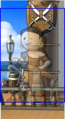 Note the way some sizes get cropped. Click for full-sized image.


Pirate Cutouts
You can test out what your background looks like as an actual portrait by using pirate cutouts (before they are re-sized by the system). The masks will be cropped out and the final portrait will be scaled down a bit. Make sure not to include these masks in your final entry—they're just for testing.
Click on the thumbnails to go to a page where you can download the full-sized cutout.
-
 Single Pirate Cutout
w/ Mask. (.png) -
 2 Pirate Cutout
w/ Mask. (.png) -
 2 Pirate Facing Cutout
w/ Mask. (.png)
(at Arrtists discretion) -
 2 Pirate Back to Back
w/ Mask. (.png)
(at Arrtists discretion) -
 4 Pirate Cutout
w/ Mask. (.png) -
 5 Pirate Cutout (2 rows)
w/ Mask. (.png) -
 5 Pirate Cutout (1 row)
w/ Mask. (.png) -
 7 Pirate Cutout
w/ Mask. (.png )


How to upload entries to YPPedia
- See also Howto:Upload a file and Howto:Post an Image
Each contest has a specific file name and tagging format. Please follow these steps carefully:
File name must follow the format: "Monthly_yourname_title_the_way_you_want_to_appear_in_game.png"
- Use .png format
- Replace yourname with how you'd like your name to appear in-game
- Replace title_the_way_you_want_to_appear_in_game with your suggested title (use underscores between words).
- Choose a name you'd like to appear in-game. If you're submitting alternate versions of the same design, give each one a distinct name instead of using "version 1", "version 2", etc.
Uploading your file:
- Log in to YPPedia and click on "Upload file" in the menu bar on the left.
- Select your background file. This will auto-fill the source and destination file name. Update the destination name if needed to match the format above.
- In the Summary field, use the appropriate contest tag as listed on the current contest page.
- Click on the "Upload file" button.
If an image file with the same name already exists, please rename yours (unless you're updating your entry).
- To update an existing image: go to the image’s page and click "Upload a new version of this file." Then follow steps 2–4 above.
- To fix an image tag: go to the image's page, click "edit," and update the tag text directly (not the edit summary field). Reuploading with a new summary will not update the tag.
If you have trouble uploading or updating your entry, ask for help on the help desk page or in the event's Discord channel.
Previous Winners
Winners 2026
Portrait Background Contest 2026
- Spring
-
 Acidd's Fruit Tingle
 -
 Acidd's Lime Passionfruit
 -
 Adrielle's Groovy Flowers
 -
 Bisca's Butterfly Dreams
 -
 Bisca's Puzzler
 -
 Cattrin's Sailing For A Cause
 -
 Cattrin's Springtime Sunset
 -
 Cattrin's Toy Tea Time
 -
 Cattrin's Wisteria Gate
 -
 Galantis's Cotton Candy Clouds
 -
 Jebaited's Ewephoria
 -
 Pilipala's Floating In Candy Floss
 -
 Jipa's Colour Swirl
 -
 Galantis's Felt Fun


- Summer
-
 Adrielle's Good Vibes Only
 -
 Bisca's Hawaii
 -
 Bisca's Rainbow Love
 -
 Cattrin's A Dip In The Tide Pool
 -
 Cattrin's Prismatic Potion Pair
 -
 Galantis's Comic Book
 -
 Galantis's Get Your Groove On
 -
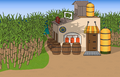 Greylady's Distillery In The Cane Field
 -
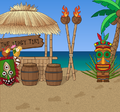 Greylady's Meet Me At The Tipsy Tiki
 -
 Jebaited's Ripples
 -
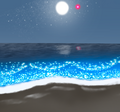 Mwynn's Emerald Starry Sea Duo
 -
 Mwynn's Perfect Wave
 -
 Mwynn's Summer Refreshment
 -
 Nightengaled's Dig At Sunset
 -
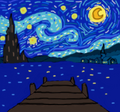 Ottilia's Starry Night
 -
 Seapint's Bubble
 -
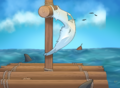 Seapint's Shark Bait
 -
 Venerdina's Contemplation Glade


- Autumn
-
 Acidd's Alien Trance
 -
 Adrielle's Spider Ship
 -
 Bisca's Spider
 -
 Cattrin's Great Pumpkin Patch
 -
 Dizzy's Castles Gate
 -
 Dizzy's Vermillion Dawn
 -
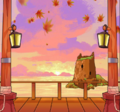 DukeTheHaz's Autumn Vows
 -
 Galantis's Wild Bloom
 -
 Mwynn's River Of Souls 2
 -
 Ottilia's Always Watching
 -
 Pilipala's Autumn Smuggler's Cove
 -
 Radway's Blood-Moon
 -
 Seapint's Autumn Canopy
 -
 Venerdina's Autumnal Bouquet Alternative
 -
 Venerdina's Eerie Atoll
 -
 Jipa's Cheese


- Winter
-
 Cattrin's Alone Again
 -
 Cattrin's Snow Angel Snuggle
 -
 Cattrin's Sugar Cookie Sweeties
 -
 Jebaited's Northern Lights
 -
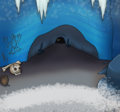 Seapint's Ice Cavern
 -
 Mwynn's Open Sky
 -
 Pilipala's Crystal Clear
 -
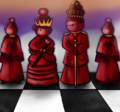 Jipa's Queen Of Hearts
 -
 Galantis's Sundaze
 -
 Barrels's In The Hall Of The Golden Fang
 -
 Galantis's Gold Dust
 -
 Bisca's Falling Stars


Winners 2025
Portrait Background Contest Jun 2025
- Spring
-
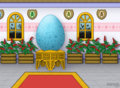 Adrielle's Revered Egg
 -
 Cattrin's Egg Basket
 -
 Greylady's Spring At The Castle
 -
 Greylady's The Captain's Closet
 -
 Jebaited's Aurora Ribbons
 -
 Juice's Dandelion Dreams
 -
 Mwynn's Pastel Clouds
 -
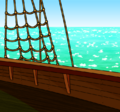 Purpure's Boarding Action
 -
 Zamarantha's Eye See You


- Summer
-
 Adrielle's Rainbow Room
 -
 Cattrin's Sand Castle For Two
 -
 Cloves's Chroma Sunset
 -
 Cods's Deep In The Jungle
 -
 Cods's Quiet Evening
 -
 Galantis's Neon Stardust
 -
 Galantis's Vibrant Stained Glass
 -
 Greylady's At The Shipyard
 -
 Klarebear's Poker2
 -
 Klarebear's Purple Summer
 -
 Mantid's Mānawatia A Matariki
 -
 Nomis's Melee Docks
 -
 Shahipaneer's Safari Outpost
 -
 Zamarantha's Tangerine Dreams


- Autumn
-
 Cattrin's Blood Moon Rising
 -
 Mwynn's Crimson Flower Bed
 -
 Radway's Misty Pumpkin Monsters
 -
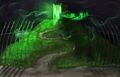 Shahipaneer's Ghoulish Hillside
 -
 Zamarantha's Moonlight Flight
 -
 Zamarantha's Wanted Pirate


- Winter
-
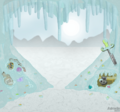 Adrielle's Icy Abandoned Supply Cave
 -
 Adrielle's Lovely Swirls
 -
 Cattrin's A Kraken Good Date
 -
 Cattrin's Couple O Snowpirates
 -
 Cattrin's Shipboard Snow Day
 -
 Fable's Dance It Out
 -
 Fable's Sky Full Of Love
 -
 Galantis's Northern Lights
 -
 Galantis's Through Time And Space
 -
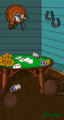 Greylady's Lucky At Poker
 -
 Radway's Snowstorm
 -
 Radway's Winter Theme
 -
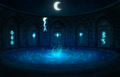 Zamarantha's Dream Realm


Winners 2024
Portrait Background Contest Dec 2023
- Spring
-
 Adrielle's Dragons Nest
 -
 Adrielle's Kronia
 -
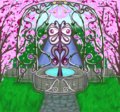 Bge's Garden Butterfly Well
 -
 Cattrin's Daffodil Days
 -
 Juice's Foggy Field
 -
 Juice's Lazy Hazy Day
 -
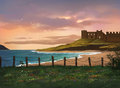 Scythera's Castle On The Hill
 -
 Scythera's Serene Sanctum
 -
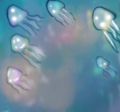 Shahipaneer's Jellyfish Pool


- Summer
-
 Atepetic's Summer Sailin
 -
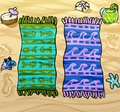 Cattrin's A Lie In The Sand
 -
 Cattrin's Beach Volleyball Battle
 -
 Cattrin's Hoist The Colors
 -
 Mwynn's Magical Swamp
 -
 Pareia's Lazing!
 -
 Scythera's Cozy Glade
 -
 Scythera's Orioles Singing In The Willows
 -
 Scythera's Whimsical Woodland
 -
 Zilver's Venturing Into Venice


- Autumn
-
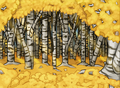 Cattrin's Bountiful Birches
 -
 Cattrin's They Came From The Mist
 -
 Galantis's Lake Dock By Night
 -
 Gammyx's Moon Mission
 -
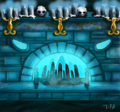 Jipa's Haunted Fireplace
 -
 Jipa's Sunflowers
 -
 Scythera's Lanterns On The Lake
 -
 Scythera's Night On The Town


- Winter
-
 Acidd's Frozen Ice
 -
 Acidd's Valentine
 -
 Altaia's Booch
 -
 Altaia's Self Love
 -
 Atepetic's Northern Lights In Winter
 -
 Atepetic's Year Of The Dragon
 -
 Bge's Strawberry Love Shake
 -
 Cattrin's Ye Are Me Greatest Treasure
 -
 Galantis's Booched Chromatic Swirl
 -
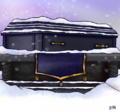 Jipa's Snow Lair
 -
 Lelani's Pretty In Plaid
 -
 Purpure's Reunion Over A Starry Sea
 -
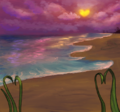 Shahipaneer's Love Island
 -
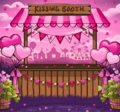 Velternal's Kissing Booth


Winners 2019
Redux Edition! - November 2019
- Autumn
-
 Scythera's Ombre Woods

- Easter
-
 Redjade's Egg Hunt By The Beach

- Holiday


- Lunar New Year
-
 Xioch's Lion Dance

- Spring


- St. Patrick's


- Summer
-
 Jaxxa's Fireworks
 -
 Phaerie's Pp Pride
 -
 Phaerie's Wishing Upon A Star
 -
 Scythera's Enchanted Forest
 -
 Scythera's Tangled Tendrils


- Valentines
-
 Cattrin's Cuddle Doves
 -
 Jaxxa's Written In The Stars
 -
 Juice's Hearts
 -
 Nilai's Starry Valentines
 -
 Phaerie's Love Light
 -
 Wayfarer's Seafaring Love


- Winter
-
 Jaxxa's Falling Snow
 -
 Merlyiana's Ice Wings
 -
 Merlyiana's Sweet Escape
 -
 Phaerie's Bad Moon Rising
 -
 Scythera's A Sparkling Stroll


Winners 2016
Revamped Edition! - November 2016
- Holiday Release
-
 Acidd's Sprinkled Icing
 -
 Cattrin's Stocking Stuffer
 -
 Scythera's Autumn Bridge
 -
 Scythera's New Year's Eve


- Winter Release
-
 Acidd's Galaxy of the North
 -
 Wayfarer's Snowy Woods
 -
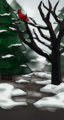 Wayfarer's Winter Woods


- Valentine's Release
-
 Bisca's Dazzling Hearts
 -
 Wayfarer's Rose Buddies


- Spring Release
-
 Acidd's Fairy Garden
 -
 Bisca's Green Glory
 -
 Wayfarer's Adorable Floral
 -
 Wayfarer's Blooming Garden
 -
 Wayfarer's Thistle Look Pretty


- Surprise Release
-
 Bisca's An Artist's Idea
 -
 Wayfarer's Lair of the Kraken
 -
 Wayfarer's Throne Room


Treasure & Cartography Edition - March 2016
-
 Arno's Pirate Realm
 -
 Cud's Fishing Treasures
 -
 Cud's Hunt for Treasure
 -
 Dragonjayne's Now What?
 -
 Frost's Treasure Gallery
 -
 Greylady's Treasure Bust
 -
 Melquire's Explorer Room


Spring Bloom Edition - February 2016
-
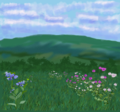 Doggbreath's Spring Wildflowers
 -
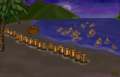 Greylady's In Memoriam
 -
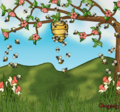 Greylady's Sweet Danger
 -
 Wayfarer's Blossoming Night
 -
 Wayfarer's Falling Blossoms


BYOB 2016 Edition - January 2016
-
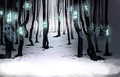 Cud's Haunted Forest
 -
 Frost's Autumn Bridge
 -
 Greylady's Ultimate Bilging
 -
 Jimgin's Rumble of the Ocean
 -
 Kuroge's Empty Hourglass
 -
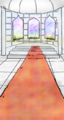 Saye's Imaginary Castle
 -
 Wayfarer's X Marks the Spot


Winners 2015
Chinese New Year / Valentine's Edition - December 2015
-
 Bisca's Sweethearts
 -
 Cattrin's Letters o' Love
 -
 Cattrin's Lovely Lace
 -
 Cud's Romantic Winter Sunset
 -
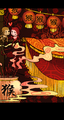 Cud's Year of the Monkey
 -
 Wayfarer's Rosy Eve


Winter 2015 Edition - November 2015
-
 Aelain's Don't Wake the Bear
 -
 Cattrin's Attack of the Yetis
 -
 Cattrin's Santa Was Here
 -
 Cud's Winter Forest
 -
 Dexla's Simply Snowflakes
 -
 Greylady's Holiday Happiness
 -
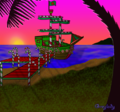 Greylady's Sugar Plum Ship
 -
 Wayfarer's It's a Wrap


Literature before the 1900 Edition - October 2015
-
 Cattrin's Undersea Library
 -
 Airplane's Juliet's Balcony
 -
 Greylady's Whale Attack!
 -
 Wayfarer's Journeying West


Halloween / Day of the Dead / Autumn Edition - September 2015
-
 Attolia's Arachnophilia
 -
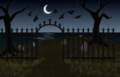 Attolia's Seaside Cemetery
 -
 Attolia's Shadowscape
 -
 Cattrin's Nighttime Vigil
 -
 Greylady's Dia De Los Muertos
 -
 Melquire's Bats' Cabin
 -
 Melquire's Harvest Sloop
 -
 Saye's September Leaves
 -
 Vaua's Nightmare


Crafting Puzzle Edition - August 2015


Sea Life of the Archipelagos Edition - July 2015


Summertime Edition - June 2015
-
 Corkskooner's Santorini for Summer
 -
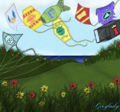 Greylady's King Kites
 -
 Inghild's Poppy Fields Forever
 -
 Rechiva's Summer View
 -
 Saye's Beach Bar
 -
 Saye's Summer Fireworks


Outposts and Uncolonized islands Edition - May 2015
-
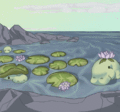 Cattrin's On Dugong Pond
 -
 Celticangel's Outpost Serenity
 -
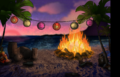 Etiquette's Beach Bash
 -
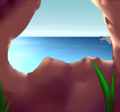 Vampii's Hidden Cove


BYOB Edition - April 2015
-
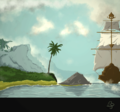 Bambeh's A Misty Marauder
 -
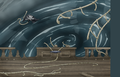 Cattrin's Maelstrom
 -
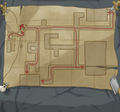 Cattrin's Map o' the Underground
 -
 Corkskooner's My Roman Trip
 -
 Inghild's Dragon's Nest
 -
 Pishkirlin's Longing for Sailing
 -
 Pishkirlin's Riggings


Fairytale Edition - March 2015
-
 Caramelz's Mirror Mirror
 -
 Corkskooner's One Magic Night
 -
 Faeree's The Hedge of Thorns
 -
 Greylady's Pied Pirate
 -
 Greylady's Rapunzel's Nest
 -
 Inghild's Bremen Town Mucisians
 -
 Mosschops's Sleeping Booty
 -
 Mosschops's That Shrinking Feeling
 -
 Xjellybeanx's Candy House


Celtic / Luck / Spring Edition - February 2015
-
 Corkskooner's Springtime Garrrden
 -
 Greylady's Catching Lucky Dreams
 -
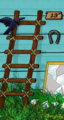 Greylady's Unlucky!
 -
 Rechiva's Activity Under the Sea
 -
 Rechiva's Whale Season
 -
 Rechiva's Spring is Here
 -
 Rechiva's Follow the Rainbow
 -
 Saye's Celtic Glass
 -
 Wayfarer's Blooming Bay


Sea Shanties Aplenty Edition - January 2015


Winners 2014
Chinese New Year / Valentine's Edition - December 2014
-
 Cattrin's Loved
 -
 Cattrin's Sailors Valentine
 -
 Greylady's Year Of The Sheep
 -
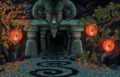 Inghild's Calendar Alley
 -
 Rechiva's At Night We Dance
 -
 Rechiva's Candy Lands
 -
 Twilah's Target Practice
 -
 Twilah's Valentine Yule Goat


Winter 2014 Edition - November 2014
-
 Bambeh's Festive Feels
 -
 Cattrin's Couple of Ornaments
 -
 Cattrin's On the Tree
 -
 Cyphoria's Santa Silhouette
 -
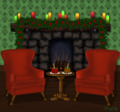 Greylady's Cozy Christmas
 -
 Greylady's Winter Solstice
 -
 Rechiva's Snowball Fight


Getting Ready for Winter Edition - October 2014
-
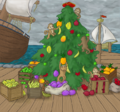 Dragonjayne's Monkeys Holiday Preparation
 -
 Greylady's Holiday Decorating
 -
 Jimgin's Winter Timber
 -
 Rechiva's Cabin
 -
 Rechiva's Decorating for Winter
 -
 Rechiva's Knitting


Spooky Halloween & Fall Harvest Edition - September 2014
-
 Cattrin's Pile o' Pumpkins
 -
 Dragonjayne's Creepy Hollow
 -
 Greylady's Autumn at Morgan Well
 -
 Greylady's Haunted Forest
 -
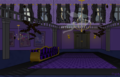 Greylady's Haunted Manor
 -
 Joondashbug's Shining Autumn
 -
 Radway's Autumn Sky
 -
 Rechiva's Trick or Treat
 -
 Rechiva's When the Sun Sets


Literature & Pirates Edition - August 2014
-
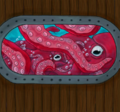 Dragonjayne's Poulp Attack
 -
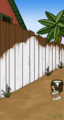 Greylady's Painting the Fence
 -
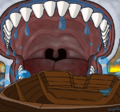 Greylady's Swallowed Whole
 -
 Joondashbug's Sugarcane Paradise
 -
 Radway's Going After Blackbeard
 -
 Rechiva's Imprisoned
 -
 Rechiva's Patched Up
 -
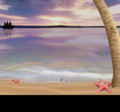 Rechiva's Stranded


Beasts o' the Isles and Seas Edition - July 2014
-
 Joondashbug's Giant Squid
 -
 Rechiva's Disturbance at Sea
 -
 Rechiva's Sea Serpent
 -
 Rechiva's Snapping Seaturtle
 -
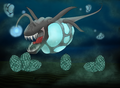 Tritón's Terror of the Deep


It came from the Hold Edition - June 2014
-
 Cattrin's Exotic Creature Transport
 -
 Cattrin's Lurking Kraken
 -
 Cattrin's Precious Cargo
 -
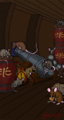 Greylady's Rats in the Hold
 -
 Joondashbug's Room of Secret Treasures
 -
 Twilah's Fruits of Forage


BYOB 2014 Edition - May 2014
-
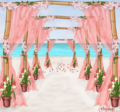 Greylady's Beach Wedding
 -
 Joondashbug's Crystal Waterfall Cave
 -
 Phamy's Exploring the Chart
 -
 Rechiva's In the Jungle
 -
 Scythera's Country Roads
 -
 Scythera's Lost Paradise
 -
 Scythera's Mirror Mirage
 -
 Twilah's Happy Hammock
 -
 Tyzis's Space Further Away
 -
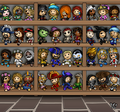 Verziga's Doll Hoarder


Puzzles and Puzzle Booches Edition - April 2014
-
 Ezzleart's Slack Sailing
 -
 Faeree's Frustration Station
 -
 Frayscarlet's Rumble Time
 -
 Gorev's Rips of Ruin
 -
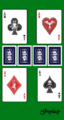 Greylady's All Aces
 -
 Greylady's Choose Yer Weapons!
 -
 Greylady's Navigation Nightmare
 -
 Twilah's Blacksmithing
 -
 Twilah's Spilled Grog
 -
 Zilverstarz's Transboochation


Showers bring Flowers Edition - March 2014
-
 Bambeh's Spritely Night
 -
 Calixbossx's Perfect Picnic
 -
 Dexla's Floral Glass Window
 -
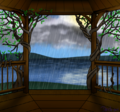 Dexla's Surprise Sunshower
 -
 Frayscarlet's Spring Laurel
 -
 Gorev's Touch of Wing
 -
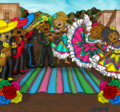 Greylady's Cinco de Mayo Fiesta
 -
 Greylady's Potted Pirate
 -
 Masters' Springtime
 -
 Masters' Sunlight in the Forest


Piracy and the Arts Edition - February 2014
-
 Bambeh's Tattooed Tangent
 -
 Calixbossx's In The Spotlight
 -
 Dexla's Arrrt Studio
 -
 Dexla's Musical Sunroom
 -
 Dexla's Writer's Block
 -
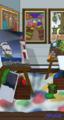 Greylady's Artist's Shack
 -
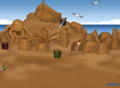 Greylady's Sand Arrrtists
 -
 Melquire's Conquest en Plein Air


Year of the Horse Edition - January 2014
-
 Cattrin's For the Love of Chocolate
 -
 Cattrin's Library Day
 -
 Cattrin's Release the Penguins
 -
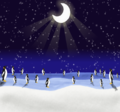 Gorev's Penguin Land
 -
 Gorev's Warming Hearts
 -
 Greylady's Hedgehog Day
 -
 Greylady's Pink Sunset
 -
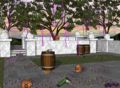 Greylady's The Morning After
 -
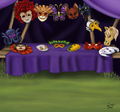 Inghild's Venetian Carnival
 -
 Pixelpixie's Hot Tea Cafe
 -
 Pixelpixie's Say Cheese
 -
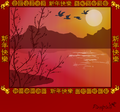 Pixelpixie's Year of the Horse
 -
 Twilah's Heavenly Horses
 -
 Twilah's Sunset Steed
 -
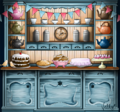 Velternal's Time For Tea


Winners 2013
New Year 2014 Edition - December 2013
-
 Corkskooner's Attack of the Yeti
 -
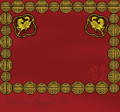 Diagram's Chinese New Year
 -
 Greylady's Winter Night
 -
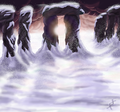 Inghild's Winter Solstice
 -
 Pixelpixie's Xin Nian Kuai Le


Winter 2013 Edition - November 2013
-
 Cattrin's Snowball Fight
 -
 Controversy's Sweet Tooth
 -
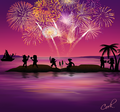 Corkskooner's New Years on the Beach
 -
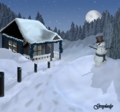 Greylady's Grandma's Cottage
 -
 Inghild's Christmas Tree
 -
 Kaybear's Arctic Frost
 -
 Melquire's Fancy Christmas
 -
 Scythera's Christmas Morning


From Shack to Hall Edition - October 2013
-
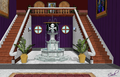 Corkskooner's Grand Foyer
 -
 Pixelpixie's Cluttered Shack


Fall Harvest Edition September 2013


Spooky Edition September 2013
-
 Ariastess' Ye Dearly Departed
 -
 Cattrin's Beyond Ye Grave
 -
 Cattrin's Hallowe'en Loot
 -
 Cattrin's When Zombies Attack!
 -
 Corkskooner's Full Moon Risin'
 -
 Corkskooner's Oktoberfest
 -
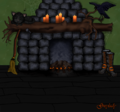 Greylady's Hecate's Hearth
 -
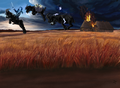 Inghild's Buckriders
 -
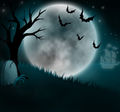 Kaybear's Haunted Night
 -
 Melquire's Abandoned House
 -
 Nyoka's Ye Haunted Woods
 -
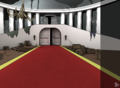 Yx's Empty Halls


Black Market Special Edition August 2013
-
 Cattrin's Smuggler's Tunnels
 -
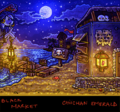 Chiichan's Smuggler's Beach
 -
 Greylady's Smuggler's Cave
 -
 Inghild's Secret Passage
 -
 Pixelpixie's Smuggler's Deck
 -
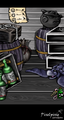 Pixelpixie's Smuggler's Hold


Literature Edition August 2013
-
 Controversy's All Work and No Play
 -
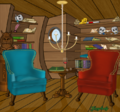 Greylady's The Ship's Library
 -
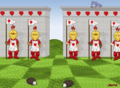 Greylady's Wonderland Garden
 -
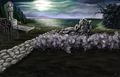 Inghild's Annabel Lee
 -
 Melquire's Medieval Manuscript Page
 -
 Tritón's Secret Chamber
 -
 Yx's Curious Library
 -
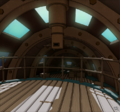 Yx's Nautilus


The Great Outdoors Edition July 2013
-
 Cattrin's Up Up and Away
 -
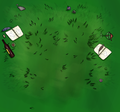 Controversy's Cloud Gazing
 -
 Controversy's Constellations
 -
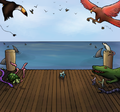 Controversy's Day of the Beasties
 -
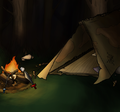 Controversy's Fireside Chats
 -
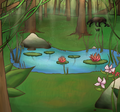 Controversy's Jungle Clearing
 -
 Melquire's Old Painting
 -
 Melquire's Trip to the Mountains
 -
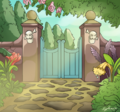 Scythera's Garden Gates
 -
 Scythera's Summer Night
 -
 Scythera's Summer Party
 -
 Scythera's Sunlit Forest


BYOB 2013 Edition June 2013
-
 Controversy's Bia Takes Back the Seas
 -
 Controversy's Tailor Tarting
 -
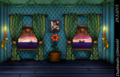 Deathwaltz's Blue Fancies
 -
 Greylady's Saturday Night Bath
 -
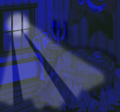 Jippy's Night Plunder
 -
 Jippy's Serene
 -
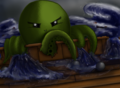 Jippy's Storm of Tentacles
 -
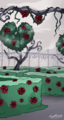 Scythera's Garden of Memories
 -
 Scythera's Midnight Lanterns
 -
 Scythera's Sunset Hideout


Fighting Puzzle Edition May 2013
-
 Cattrin's All on One
 -
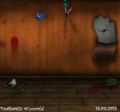 Deathwaltz's Bar Fight
 -
 Melquire's Lost Battle
 -
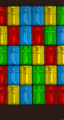 Wayfarer's Sprinkles


Beasts o' the Isles and Seas Edition April 2013
-
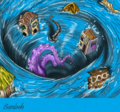 Bambeh's Whirl of a Time
 -
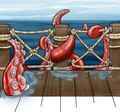 Cattrin's You, Me and The Kraken
 -
 Dipnoi's Underwater Encounters
 -
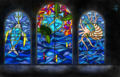 Phamy's Atlantean Windows
 -
 Scythera's Horrors of the Deep
 -
 Wayfarer's Totally Calm Sunset


Showers & Flowers Edition March 2013
-
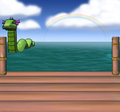 Creirwy's Loch Ness
 -
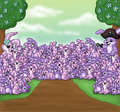 Dipnoi's Easter Bunnies
 -
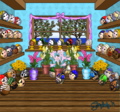 Greylady's Ringer Omlette Shoppe
 -
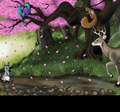 Kipper's The Tree of Life
 -
 Kipper's Wonderland Easter
 -
 Pixelpixie's Tranquility
 -
 Velternal's Spring Wishes


Spring 2013 Edition February 2013
-
 Cattrin's Field of Clovers
 -
 Cattrin's Rainy Day at the Docks
 -
 Greylady's Garden Gate
 -
 Inghild's Spring romance
 -
 Kipper's Wild Spring
 -
 Melquire's Spring flood
 -
 Melquire's Spring on hills
 -
 Saviour's Spring Zephyr


Valentine's/Chinese New Year Edition January 2013
-
 Anchovia's Star Crossed Lovers
 -
 Cattrin's Candy Hearts
 -
 Deathmessage's Romantic Sunset
 -
 Etiquette's Dark Desires
 -
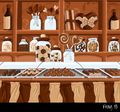 Frayscarlet's Chocolate Shoppe
 -
 Frayscarlet's Love Potions
 -
 Greylady's Cursed Romance
 -
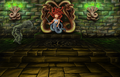 Inghild's Medusas Lair
 -
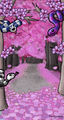 Jennygalaxy's Serpent Seduction
 -
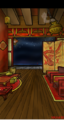 Musicologist's Enter The Dragon


Winners 2012
New Year 2012/2013 Edition December 2012
-
 Bambeh's Midnight Strikes
 -
 Bisquick's Jolly Fireworks
 -
 Deathwaltz's Joys Of Winter
 -
 Deathwaltz's New Year's Eve
 -
 Deathwaltz's Octo Helper
 -
 Dexla's Captain's Clock
 -
 Dexla's Fireworks Cove
 -
 Greylady's Mitten Giving Tree
 -
 Inghild's Snowy Saltstraum Docks
 -
 Kaybear's New Year's In London
 -
 Melquire's Frozen New Year's Eve
 -
 Melquire's Gunpowder Ship
 -
 Pixelpixie's New Year's Voyage


Winter Edition 2012 November 2012
-
 Cattrin's Peppermint Forest
 -
 Cattrin's Sleigh Ride
 -
 Cattrin's Snow Day
 -
 Deathmessage's Winter Mountains
 -
 Deathwaltz's Northern Sky
 -
 Deathwaltz's Sparkly Riverside
 -
 Etiquette's Starry Snowfall
 -
 Etiquette's Winter Fortune
 -
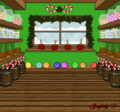 Greylady's Candy Shoppe
 -
 Greylady's North Pole
 -
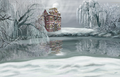 Inghild's Winter Willows
 -
 Jennygalaxy's Walking in a Winter Pirateland
 -
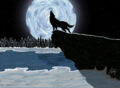 Phamy's Howling Wolf
 -
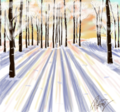 Phamy's Winter Wood at Dawn (aka Morning Sun)
 -
 Velternal's Celebrate the Season


BYOB5 Edition 2012 October 2012
-
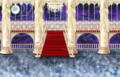 Angelira's Dancing with the Stars
 -
 Deathmessage's Night Seas
 -
 Dexla's Royal Portrait Commission
 -
 Frayscarlet's Sweet Tooth Island
 -
 Greylady's Gone Camping
 -
 Inghild's The Mist
 -
 Kaybear's Tyrant of the Depths
 -
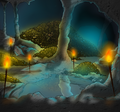 Kipper's Treasure Cove
 -
 Masters' Secret Cove
 -
 Masters' Victory Banner
 -
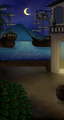 Melquire's Pirates in the Night
 -
 Musicologist's Planetarium of Philarmonia
 -
 Saviour's Space Navigation
 -
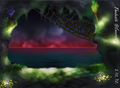 Thedeath's Cursed Chasm
 -
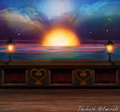 Thedeath's Stardust Dream Voyage
 -
 Velternal's Aurora Borealis


Halloween/Autumn Edition September 2012
-
 Ambrygold's Hallows' Sunset
 -
 Angelira's Draconic Wings
 -
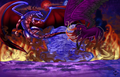 Angelira's Tales of the Infernal Abyss
 -
 Bambeh's Autumn Glasslands
 -
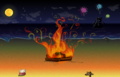 Bleedingrose's Bonfire Night on the Beach
 -
 Cattrin's Corn Field
 -
 Cattrin's Witch's Pot
 -
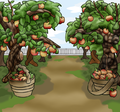 Cattrin's Apple Orchard
 -
 Cattrin's Hayride
 -
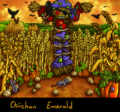 Chiichan's Scarecrow Field
 -
 Deathmessage's Dark Hallows
 -
 Dexla's Halloween Brew
 -
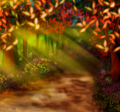 Dexla's Autumn Woods
 -
 Frayscarlet's Autumn Pergola
 -
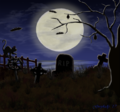 Greylady's Haunted Graveyard
 -
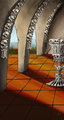 Inghild's Bone Chapel
 -
 Inghild's Autumn Shack
 -
 Jennygalaxy's Bogey Buccaneers
 -
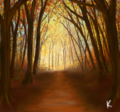 Kaybear's Autumn Equinox
 -
 Kipper's Halloween Nightmare
 -
 Masters' Autumn Light
 -
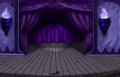 Musicologist's Haunted Curtain Call
 -
 Omerta's Spooky Waters
 -
 Phillite's Autumn Forest
 -
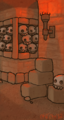 Phillite's Catacombs
 -
 Thedeath's Haunted Dream
 -
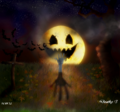 Thedeath's Delirious Moonlight
 -
 Velternal's Fall Fair
 -
 Xioch's November's Nocturne


Fairytale Edition August 2012
-
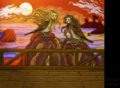 Chiichan's "Enchanted Waters"
 -
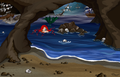 Dagger's "Siren's Cove"
 -
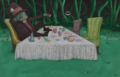 Ecastasy's "Finius' Mad Tea Party"
 -
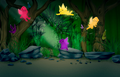 Frayscarlet's Secret Fairy Garden
 -
 Jennygalaxy's "Enchanted Island"
 -
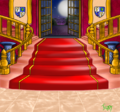 Jippy's "Beauty and the Pirate"
 -
 Kiziak's "Thumbelina"
 -
 Melquire's "Witchcraft Room"
 -
 Musicologist's "Giant's Other Gilded Harp"
 -
 Xbambehx's "In a Spin"
 -
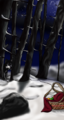 Xbambehx's "Walk in the Woods"


Explorer/Exotic Edition July 2012
-
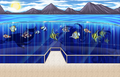 Angelira's Marine Land
 -
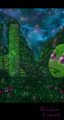 Chiichan's Aztec Meadow!
 -
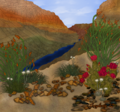 Greylady's Grand Canyon
 -
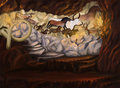 Inghild's Cave Paintings
 -
 Kaybear's Firefly Forest
 -
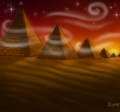 Kaybear's Pyramids
 -
 Masters' Travel to the Depths
 -
 Melquire's Australian Desert
 -
 Phamy's Whale Watching


Pirate Vacation Edition June 2012
-
 Angelira's Evening Sky
 -
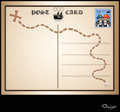 Booful's Postcard
 -
 Greylady's Fishing by Moonlight
 -
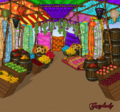 Greylady's Turkish Bazaar
 -
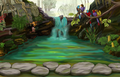 Inghild's Monkey Temple


Life Onboard Edition May 2012
-
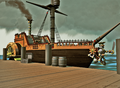 Animattronic's Steam Harbour
 -
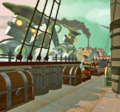 Animattronic's There Be Mechanical Monsters
 -
 Dagger's Damage Control
 -
 Greylady's Sailing
 -
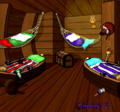 Greylady's Sleeping Quarters
 -
 Inghild's Plank Me
 -
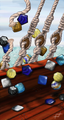 Inghild's Rig Booch
 -
 Melquire's Rococo Music Room


Pirates in Bloom Edition April 2012
-
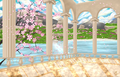 Angelira´s Elegance of Spring
 -
 Greylady's Desert in Spring
 -
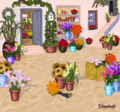 Greylady's Flower Shoppe
 -
 Greylady's Tropical Spring
 -
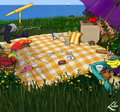 Lulee's Picnic Day
 -
 Melquire's Botanist Cabin
 -
 Melquire's Isle o' Birds
 -
 Velternal's Springtime Fairytale


BYOB 4 / Adventure Edition March 2012
-
 Adrielle's Heraion
 -
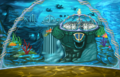 Angelira's The Legend of Atlantis
 -
 Bisquick's Starry Night
 -
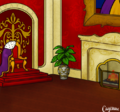 Cayenne's Royal Palace
 -
 Cayenne's Ship's Study
 -
 Dexla's Meadow
 -
 Dexla's Seaside Shack
 -
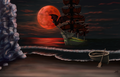 Inghild's Journey of the Vampire Ship
 -
 Masters's Bright and Early
 -
 Masters's Moonlight Dream
 -
 Melquire's In Heart of Battle
 -
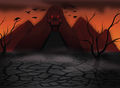 Phaerie's Skull Valley
 -
 Phillite's Bank
 -
 Phillite's Verdant Ship


Celtic / Luck / St Patrick's Edition February 2012
-
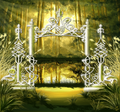 Angelira's Enchanted Forest
 -
 Corkskooner's Lucky Arbor
 -
 Deathmessage's Sailing After the Rainbow
 -
 Greylady's Winner's Hoard
 -
 Inghild's Stone Circle
 -
 Melquire's Posh Parlor
 -
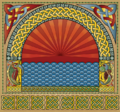 Phaerie's Celtic Illumination
 -
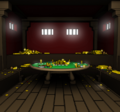 Yx's Lucky Cards


Romance/Adventure Edition January 2012
-
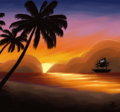 Angelira's Romantic Sunset
 -
 Cayenne's Twilight Rose Garden
 -
 Corkskooner's Blaze of Glory
 -
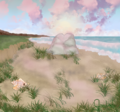 Greylady's Lover's Rock
 -
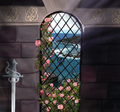 Inghild's Eternal Love
 -
 Phaerie's Heart's Desire
 -
 Uknowwho's Undersea Adventure
 -
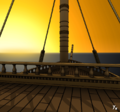 Yx's Sunset Brig


Winners 2011
Chinese New Year/Year of the Dragon Edition December 2011
-
 Cayenne's New Years Festivity Garden
 -
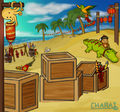 Charavie's Crocodragon Party
 -
 Charavie's Dragon Celebration
 -
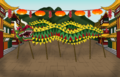 Greylady's Chinese New Year
 -
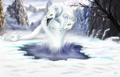 Inghild's Year of the Dragon
 -
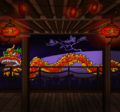 Velternal's Dragon Dance at Dusk


Winter 2011 Edition November 2011


Expedition Edition October 2011


Halloween/Autumn Edition September 2011
-
 Cattrin´s Fall Harvest
 -
 Cattrin´s Quaint Coffin
 -
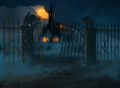 Corwyn´s Haunted Cloister
 -
 Dexla´s Spiderweb
 -
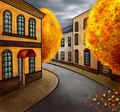 Masters´s Fall in Town
 -
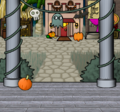 Rhodin´s Halloween Porch
 -
 Thedeath´s On The Run From The Black Masses


BYOB3 edition August 2011
-
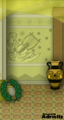 Adrielle's Sun Temple
 -
 Masters' Lighthouse
 -
 Sinistergoat's Pining for the Fjords
 -
 Verziga's Golden Pathway
 -
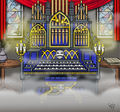 Verziga's Haunted Concerto


Explorer edition July 2011
-
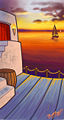 Albini's Greek Isle Sunset
 -
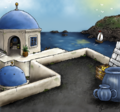 Ariastess's Aegean Isle
 -
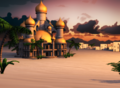 Corwyn's Exotic Explorer
 -
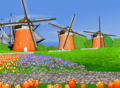 Lulee's Nederland Tulips
 -
 Phillite's Overgrown Ruins
 -
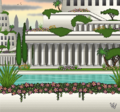 Verziga's Hanging Gardens


LE ship edition June 2011


Summertime edition May 2011
-
 Deathmessage's Summer Sunset
 -
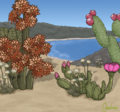 Greylady's Desert Isle Getaway


Puzzle 2 edition April 2011
-
 Pishkirlin's Bilging

Victory edition March 2011
-
 Kiziak's Winner
 -
 Omerta's Fireworks
 -
 Pishkirlin's Trumpet Blast


Celtic / Spring edition February 2011


Chinese New Year / Valentine's edition January 2011
-
 Agomicc's New Year Lantern Festival
 -
 Cattrin's Sweetheart
 -
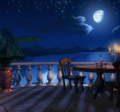 Corwyn's Dinner For Two
 -
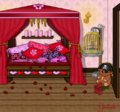 Greylady's Love Nest
 -
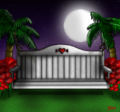 Jippy's Moonlite Garden
 -
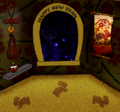 Laurel's Chinese New Year
 -
 Narci's Pirate Heart
 -
 Verziga's Valentine Moon


Winners 2010
Brigand King Edition - December 2010
-
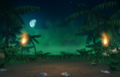 Corwyn's Hunting Vargas
 -
 Dexla's Barnabas' Deck
 -
 Dexla's Finius' Office
 -
 Dexla's Widow Queen's Parlour
 -
 Guebofreido's Cursed Isles
 -
 Kirppu's Brynhild Attack
 -
 Pishkirlin's Arabian Nights
 -
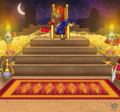 Verziga's Azarbad the Great
 -
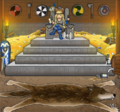 Verziga's Brynhild Skullsplitter
 -
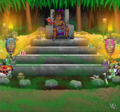 Verziga's Vargas the Mad


Winter 2010 edition - October/November 2010
-
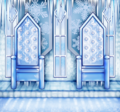 Dexla's Ice Palace
 -
 Greylady's Christmas Booty
 -
 Mobutu's First Snow Flag
 -
 Mobutu's Holiday Feast
 -
 Verziga's Christmas Cabin
 -
 Verziga's Christmas In Town
 -
 Verziga's Ice Cave
 -
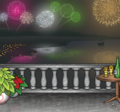 Verziga's New Year Celebrations


Halloween edition - September 2010
-
 Adrielle's Autumn Swirls
 -
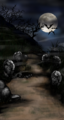 Cambiata's Graveyard
 -
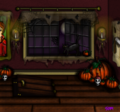 Jippy's Haunted Manor
 -
 Kirppu's Werewolf Shack
 -
 Narci's Night Wings
 -
 Narci's Nightmare
 -
 Pishkirlin's Once upon a time in Transylvania
 -
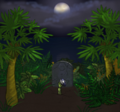 Sinistergoat's Rise of the Old Man of Oyster


BYOB2 edition - August 2010
-
 Adrielle's Ship Graveyard
 -
 Dexla's Red Sky at Night
 -
 Greylady's Shopping
 -
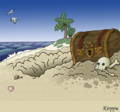 Kirppu's Treasure Atoll
 -
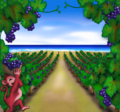 Pishkirlin's Harvest
 -
 Roseash's Tropical Shore
 -
 Verziga's Going Down With The Ship


Shipboard edition - July 2010
-
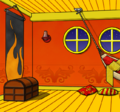 Amethethon's Scorching Inferno
 -
 Bernhard's Junk Deck
 -
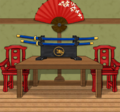 Greylady's Elegant Katana
 -
 Verziga's Captain's Cabin
 -
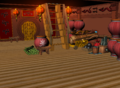 Xeitgeist's Junk Trade Run


Imperial edition - June 2010
-
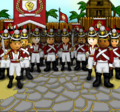 Acerin's Enemy at the Gates
 -
 Acerin's Imperial Banner
 -
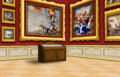 Pishkirlin's Imperial War Gallery
 -
 Phillite's Imperial Lock-Up


Shoppe3 edition - May 2010


Puzzle1 edition - April 2010
-
 Dexla's Poker
 -
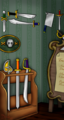 Dexla's Sword Display
 -
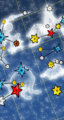 Pishkirlin's Uranographica


Showers and Flowers edition - March 2010
-
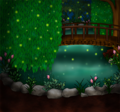 Damayi's Firefly Pond
 -
 Dexla's Cherry Blossom
 -
 Dexla's Flower Cart
 -
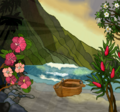 Greylady's Tropical Spring
 -
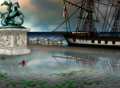 Pishkirlin's One Fickle Day in April


Luck edition - February 2010
-
 Adrielle's Lucky Swirls
 -
 Corkskooner's Celtic Castle
 -
 Damayi's Fortune Gate
 -
 Kiziak's Luck
 -
 Pishkirlin's Good Omens


Feb14 edition - January 2010
-
 Clarebear's Ring in the New Year
 -
 Damayi's Cursed Love
 -
 Damayi's Love Shack
 -
 Deathmessage's Hearty
 -
 Dexla's Valentine Night
 -
 Greylady's Fan Tastic
 -
 Greylady's Tiger Fan
 -
 Kirppu's Exotic Love
 -
 Kiziak's Love
 -
 Phillite's Bamboo Trail
 -
 Sinistergoat's Twilight Tiger


Winners 2009
At the docks edition - December 2009
-
 Peggy's Beachside Dock

Winter 09 edition - November 2009
-
 Ariastess's Candyland Inn
 -
 Damayi's Tropical Christmas
 -
 Dexla's Candied New Year
 -
 Greylady's Holiday Welcome
 -
 Molasses's Cozy Maiden


BYOB edition - October 2009
-
 Amethethon's Waterfall Walk
 -
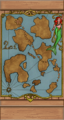 Cassopia's Mermaid Map
 -
 Molasses's Commodities Market
 -
 Molasses's Still Thirsty
 -
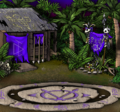 Trollsb's Cursed Isles


Halloween 09 edition - September 2009
-
 Corkskooner's Enchantment
 -
 Molasses's Night of a Thousand Parrots
 -
 Phillite's Ghost Ship


Shoppe2 edition - August 2009


Summer Vacation edition - July 2009
-
 Corkskooner's Balcony
 -
 Corkskooner's Tiki Torches at Sunset
 -
 Molasses's Sleepy Tortoise Bay
 -
 Sharktailz's Lazy Afternoon


Not A Couple edition - June 2009
-
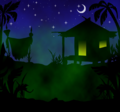 Corkskooner's Vargas Shack
 -
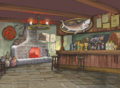 Ickessler's Pirate Inn
 -
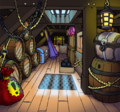 Molasses's Secrets in the Hold


After the battle edition - May 2009


Party Edition - April 2009


Spring Edition - March 2009
-
 Bootlegpatch's Twilight Garden
 -
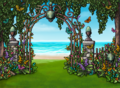 Happyharlot's Spring Garden
 -
 Sharktailz's Blooming Meadow


-
 Bootlegpatch's Red Temple
 -
 Crookedface's New Year
 -
 Damayi's Cupid's Party
 -
 Damayi's Pirate O' Love
 -
 Roseash's Lakeside Snow
 -
 Happyharlot's Chinese New Year
 -
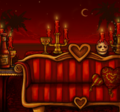 Happyharlot's Valentine's Day
 -
 Merethif's Winter Cabin


Winners 2008
Spooky and Fall Harvest editions
-
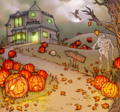 Bootlegpatch's Night of the Living Pumpkins
 -
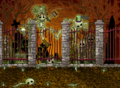 Ickessler's Bucaneer's Boneyard
 -
 Merethif's Fruit Manor


-
 Bootlegpatch's Shipwrightery
 -
 Ickessler's Distillery


Winners 2007
-
 Corwyn's Sunset in Paradise
 -
 Damayi's Lucky Pirate
 -
 Monet12's Old Photo
 -
 Nordenx's Black Ship
 -
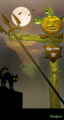 Nordenx's Dragoon Scarecrow
 -
 Nordenx's Longships
 -
 Pinky77's Green Night


Winners 2006
-
 Annedroid's King
 -
 Annedroid's Queen
 -
 Captainada's Valentine Arch
 -
 Deadstarr's Playing in the Cane
 -
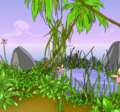 Deadstarr's Secret Cove
 -
 Lillmill's Dusk Sky
 -
 Nemo's Organ by Nordenx
 -
 Nordenx's A Whale of a Tale
 -
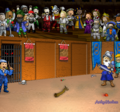 Nordenx's God Games
 -
 Nordenx's Good Sailing
 -
 Nordenx's Icebergs Ahoy
 -
 Nordenx's Skull Island
 -
 Peterpan's Night Watch
 -
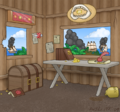 Phillite's Seized Fort


Winners 2005
-
 Aryet's Stone Urns with Flowers
 -
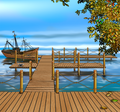 Loremipsum's Autumn Dock
 -
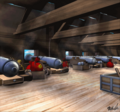 Mattronic's Gundeck
 -
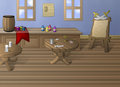 Mock's Inn
 -
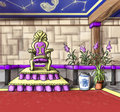 Sadiekate's Throne Room
 -
 Sky's Winter Aurora


